The ways of working in software engineering are rapidly mutating and I figured it might be worth journaling about it while riding the wave. I wrote Three years of AI to brain-dump the past few years of change. This is more about my active work processes. Feels like they're constantly evolving to keep up with AI. I don't expect that to stop anytime soon, so this might turn into a series.
My dayjob is a tech-lead at Toast but my year long addiction to ClaudeCode has me building a good few side projects. Side projects bring freedom, and freedom brings experimentation, learning and different perspectives.
Projects
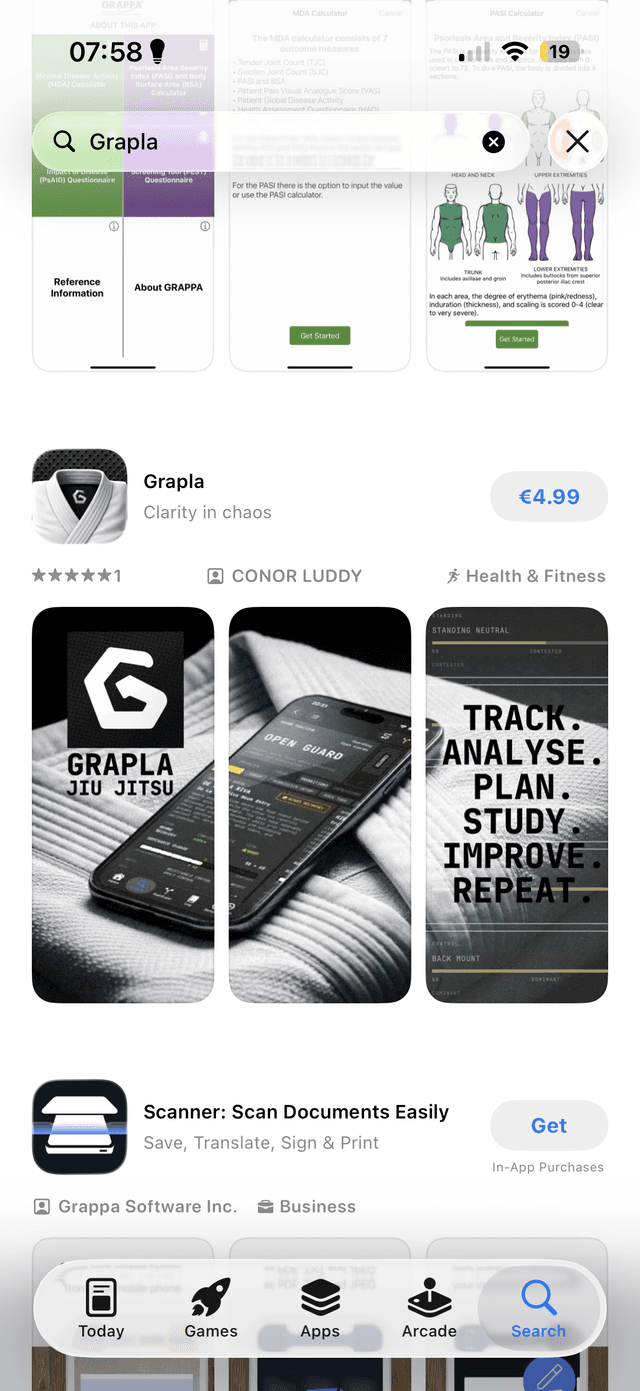
This month my main focus is on my new app, Grapla. I launched it on St. Patricks day after spending about a year building it with Claude, so I'm now in fast-follow mode to catch up on quality and feature gaps since it released. Some of these are long term roadmap features that I figured we could go live without and others are bugs and snags I'm finding by using the app.
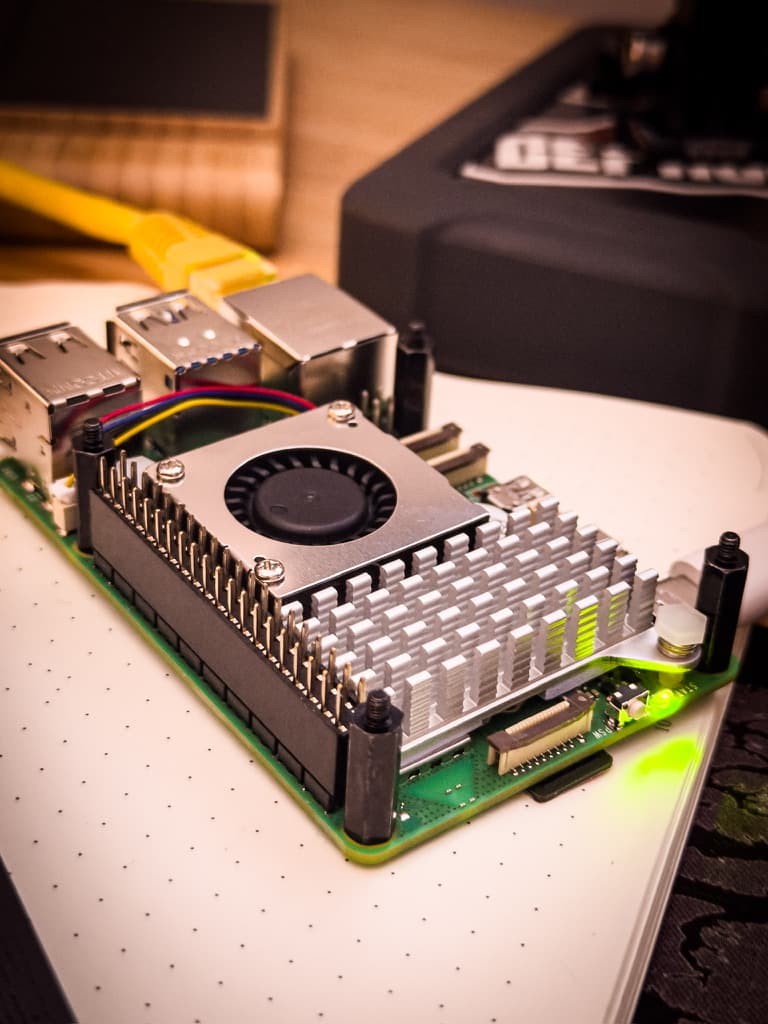
Secondary projects I'm working on include this website, two other iOS apps, and an experiment I'm running where I have OpenClaw on a Raspberry Pi running an autonomous self healing and self evolving news aggregator, that ingests news articles and updates itself on a cron job. A story for another write-up when it matures a little...
Main Focus
The Grapla app is my most dynamic project at the moment in terms of how I'm working, and it's what I'm busiest with. Since it's now launched, this fast-follow work pattern means I'm playing catch-up on bug fixes and the feature roadmap, shaping the work in a way that has me testing, finding bugs and gaps, and opening Github issues. The trailing end of the SDLC for this project.
High-level dev loop
I'm working in your normal loop of identifying work that needs to be done, gathering context on what's involved, deciding on solutions, breaking those down into atomic units of work, organising them, and then actioning them. Usually writing zero lines of code.
The fun part is the unusual cycle this is happening in:
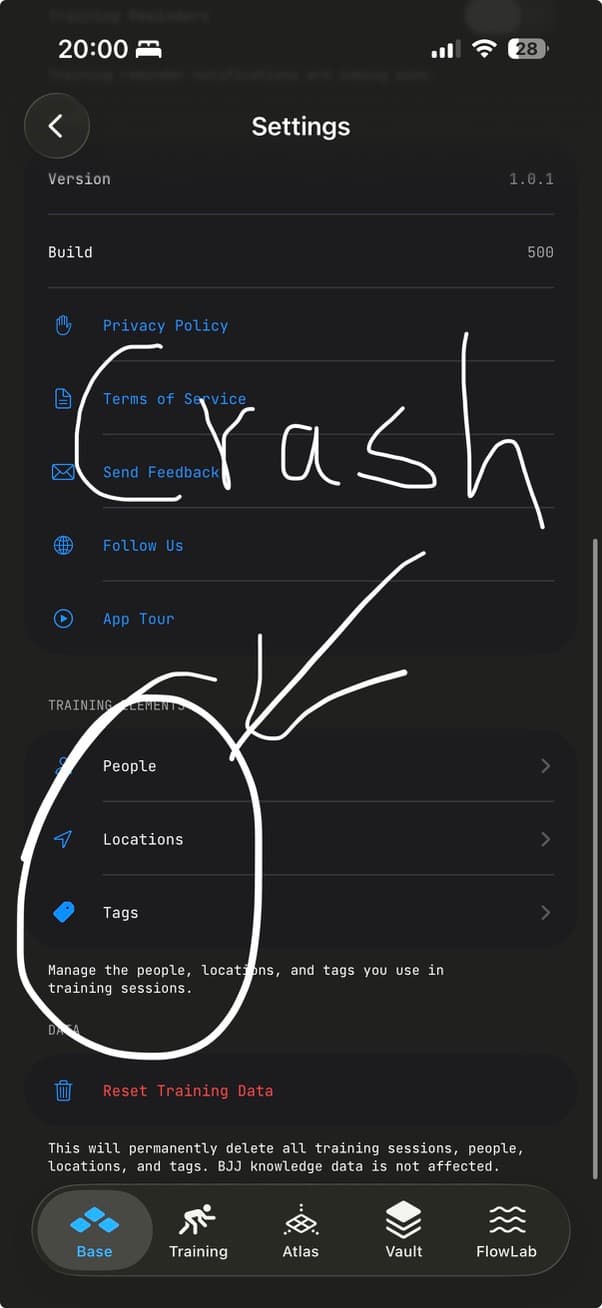
- Use the app on the phone.
- Spot snags that needs work.
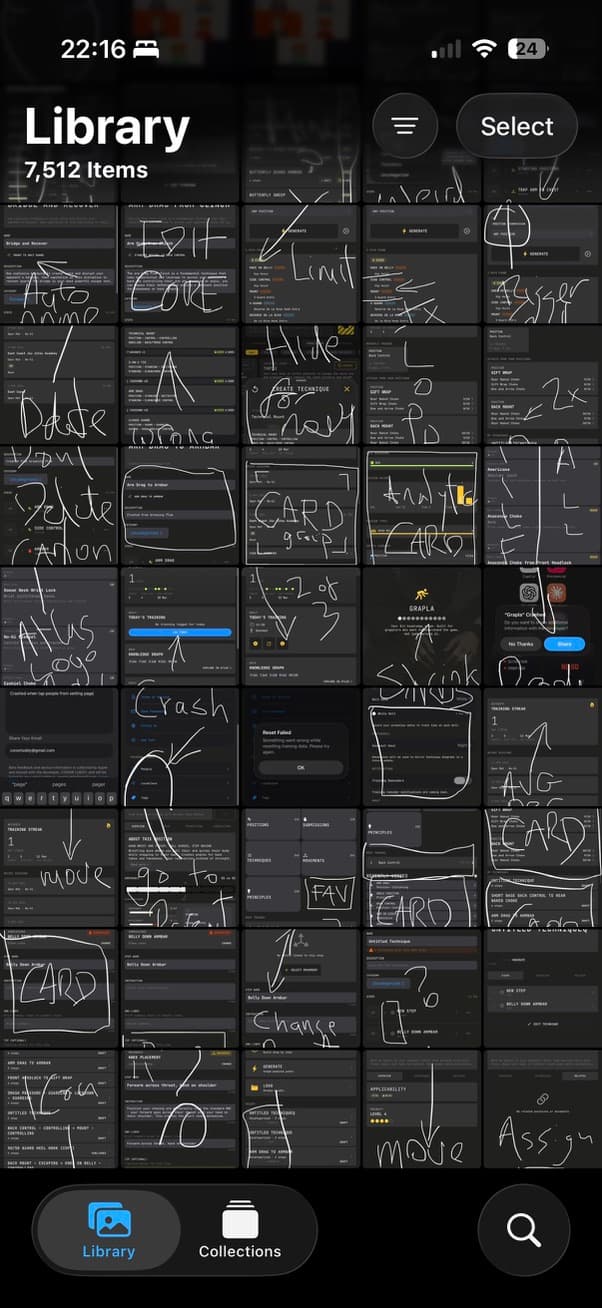
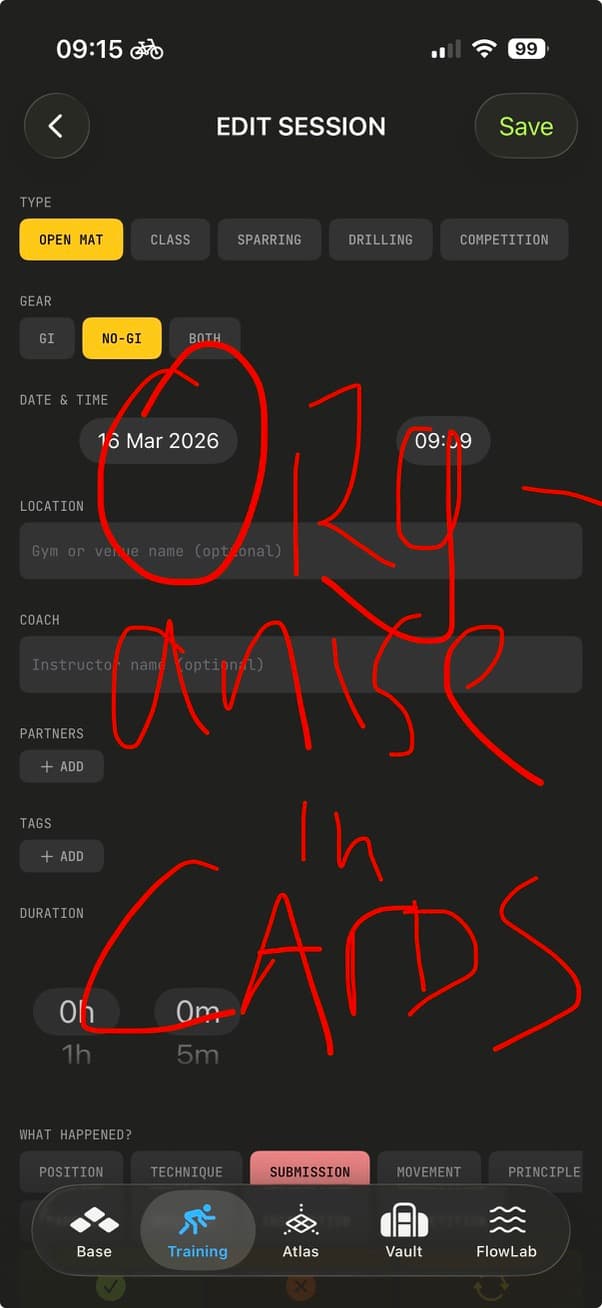
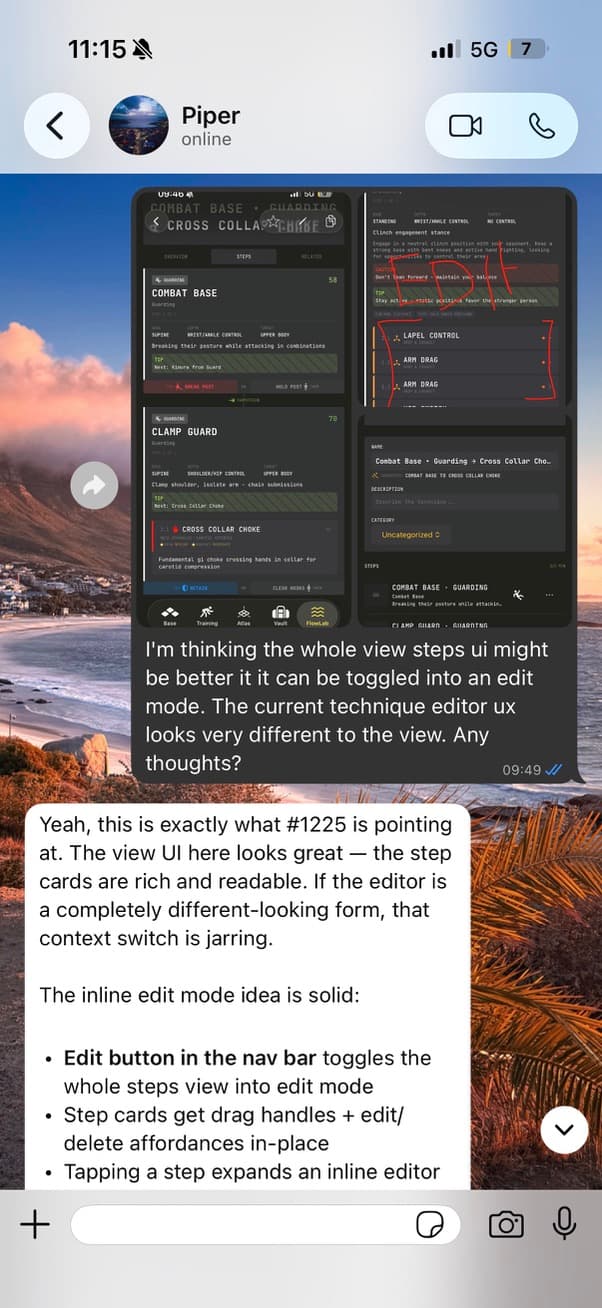
- Screenshot them and scribble notes on the screenshots.
- Have OpenClaw running on a Raspberry Pi.
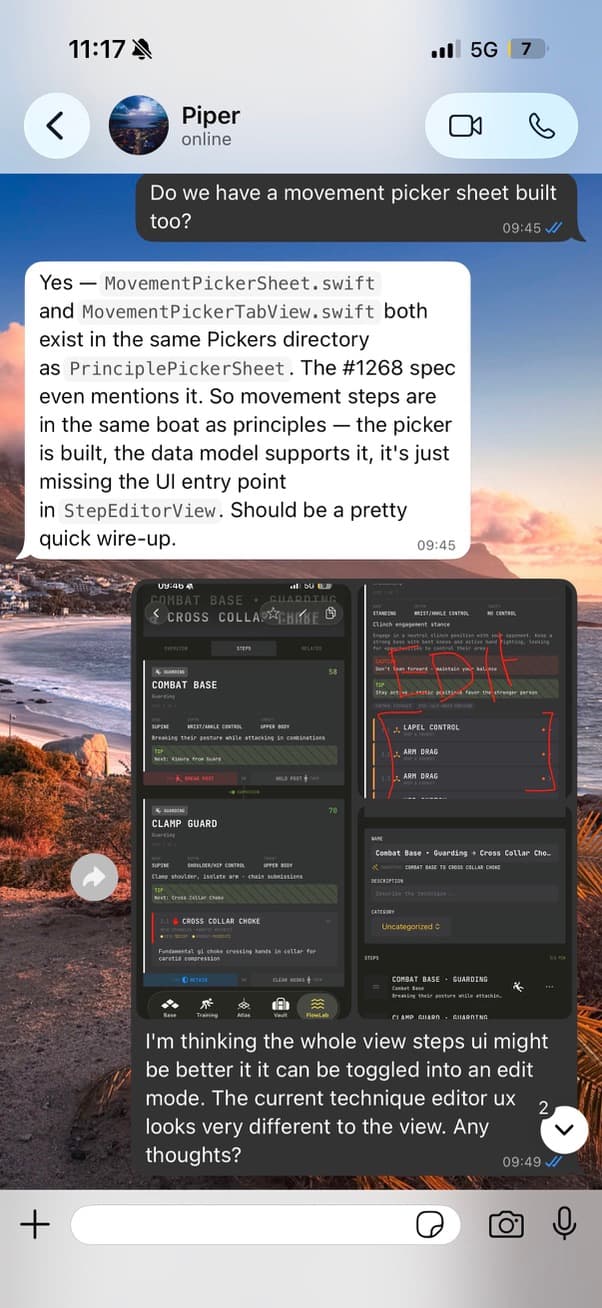
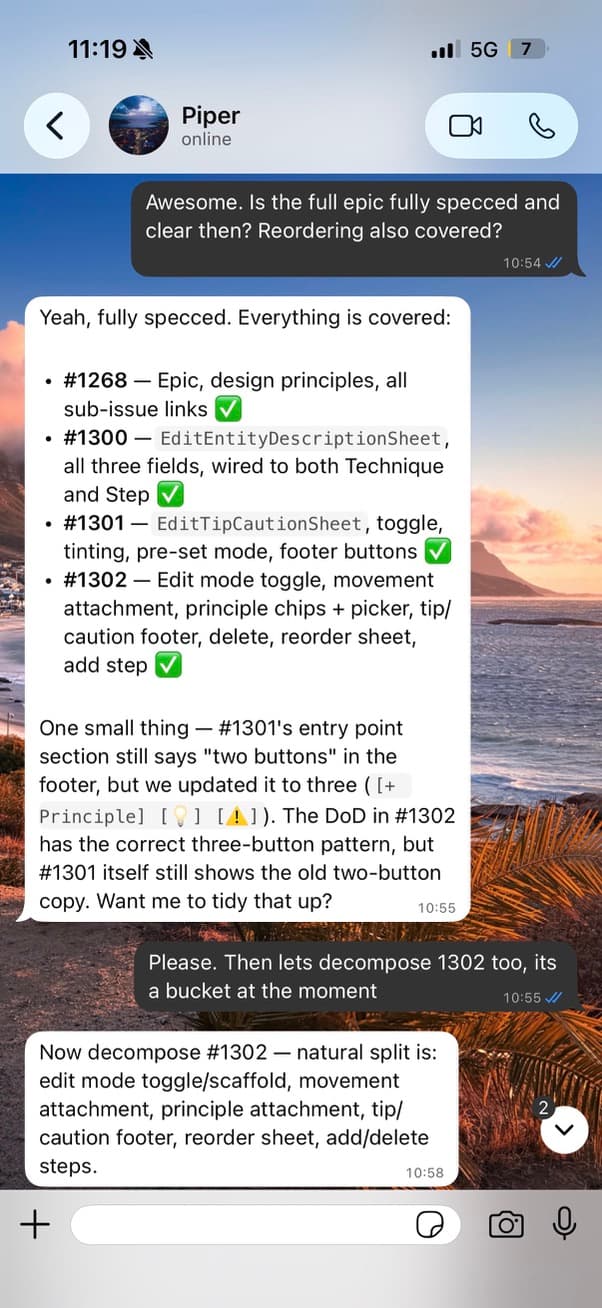
- Whatsapp the screenshots to it and explain what you want to fix.
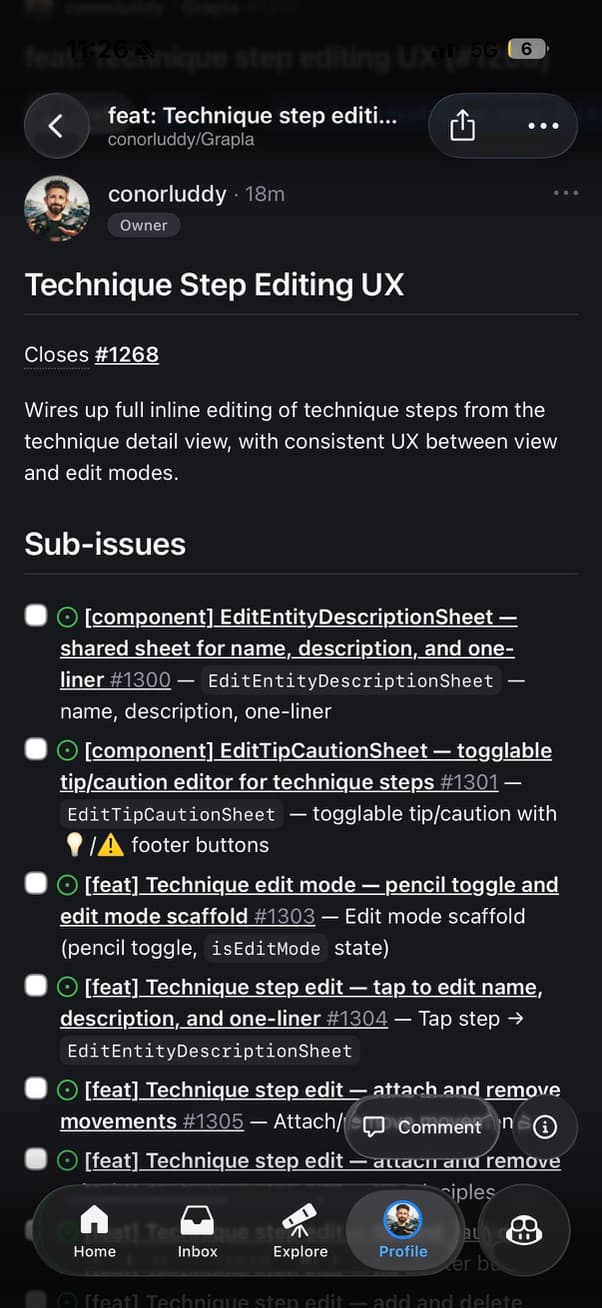
- Let it gather context from the codebase and open a Github issue.
- Convert issues into PRs - Claude can do that on both the R-Pi and the Macbook.
This doesn't all have to be done in one go. I'll usually gather screenshots while fiddling with the app and they might sit there for a day or two before I deal with them. The flexibility and async nature of the workflow is what makes it useful, especially for side-projects.
The harness
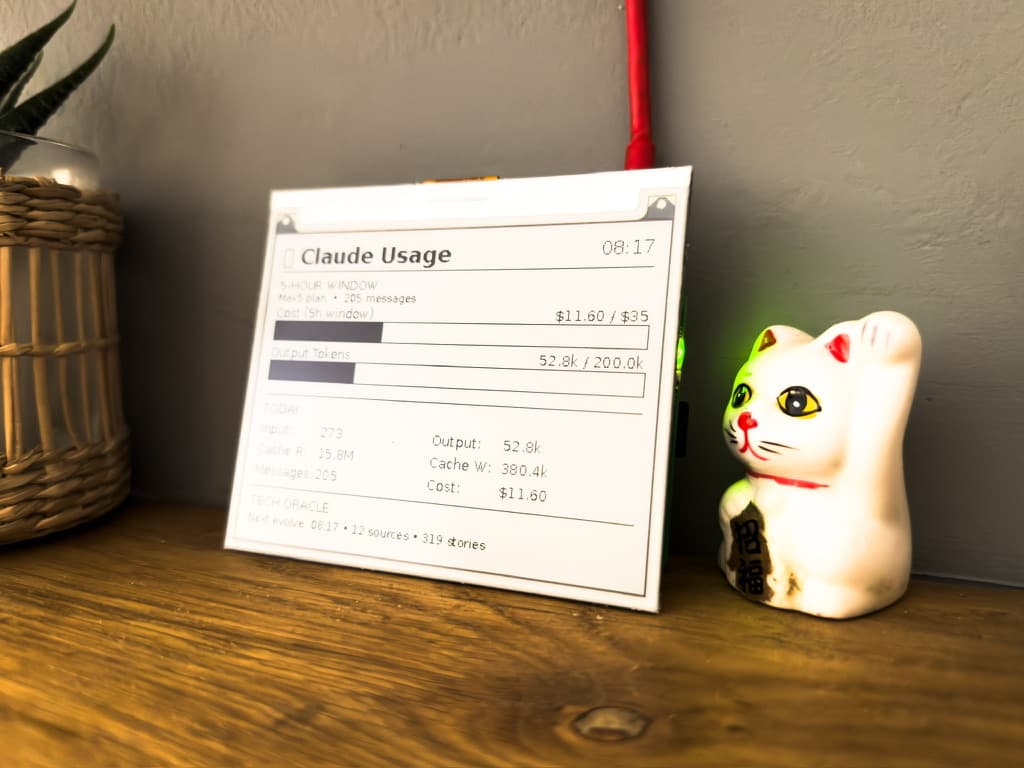
OpenClaw is basically an agent harness that you can communicate with via apps like Whatsapp and Telegram, letting you give it instructions to run on the machine that you have it running on. There was a lot of hype around people buying Mac Mini's recently for it, but you can also just run it on a Raspberry Pi, taking up a lot less space and power.
You do need to be running Xcode on a Mac to build iOS apps - so I can't use the Pi to build them, but ClaudeCode will happily pick up Github issues, open PRs, and leave them there for me to review, build and validate later on the Macbook. Repositories are cloned onto the Pi, and Claude does most of its reasoning in the cloud, so the Pi is never under much pressure. OpenClaw is just the mediator that you can give orders to and ping for status updates.
The secret sauce
I think the most useful finding I've had recently is around how you create and manage the actual Github issues themselves. Engineering work is very quickly shifting into the realm of specifications and orchestration and away from writing code by hand, so the more tips, tricks and skills you can build up around that sort of project management mindset, the better.
The tricks I'm leaning into here are issue templates and issue labels. Lemme explain.
Issue template
When I'm getting Claude to open a Github issue for any features or issues I want to spec out, I need that issue to be detailed enough that another agent with zero context can pick it up and run with it, but I'm opening a lot of these on my phone from a screenshot and a quick Whatsapp message.
You don't want to have to tell Claude what details to put in the issue every time, so you define an issue template in the repo. Adding a little reminder memory in the CLAUDE.md file is recommended too, like "When opening issues in Github, use the agent issue template".
Your issue template can be whatever shape you like, but this is the outline of what I'm using.
- Context & Motivation
- Current State
- Proposed Changes
- Model / API Spec
- Blast Radius
- Implementation Steps
- Side-Fixes
- Definition of Done
- Verification Plan
- Key Files Reference
So when Pi-Claude is creating an issue from one of my screenshots, it's asking me for clarity on anything ambiguous first, while also looking at the code, and then filling in this whole template. Most of the time it nails it.
The labels
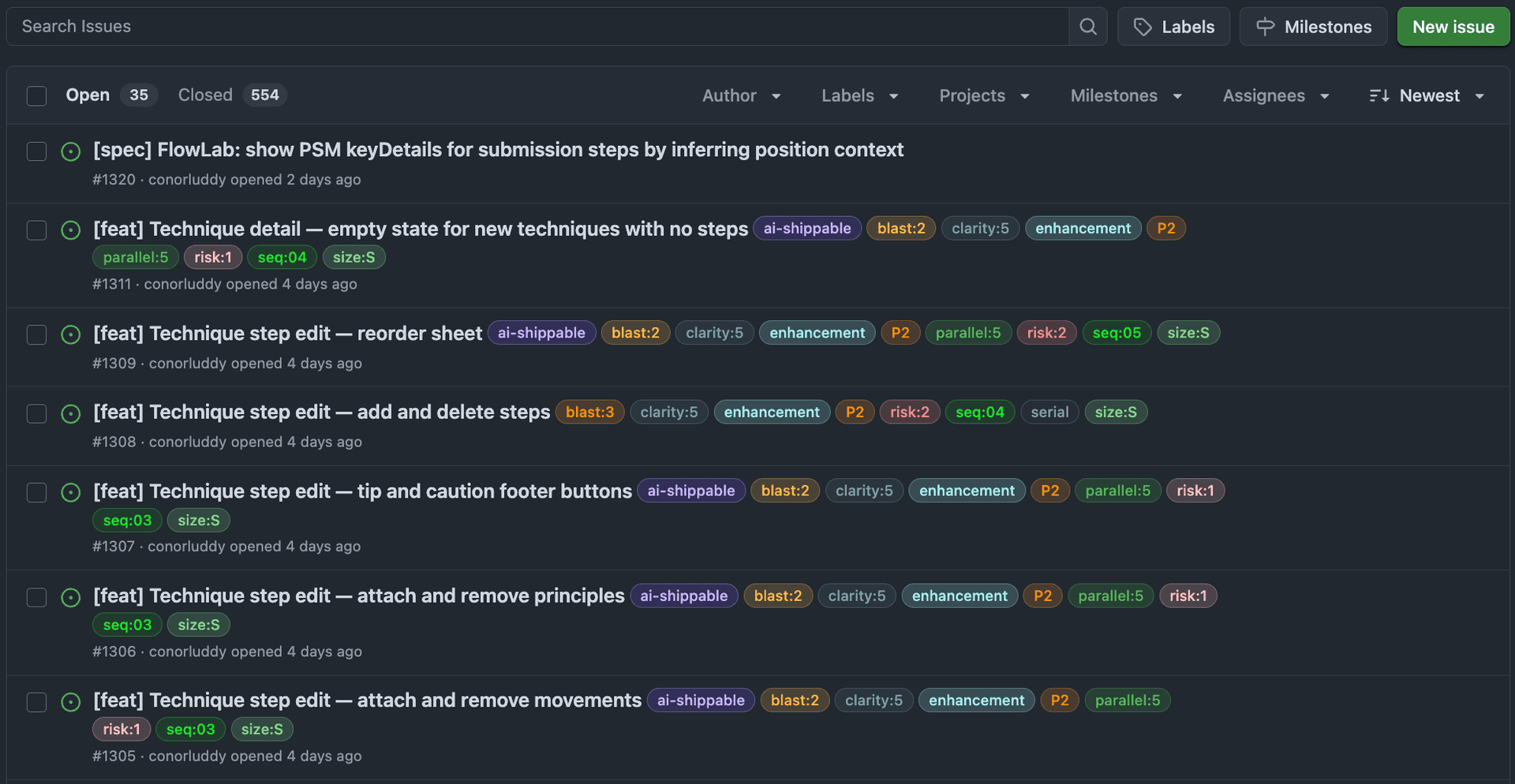
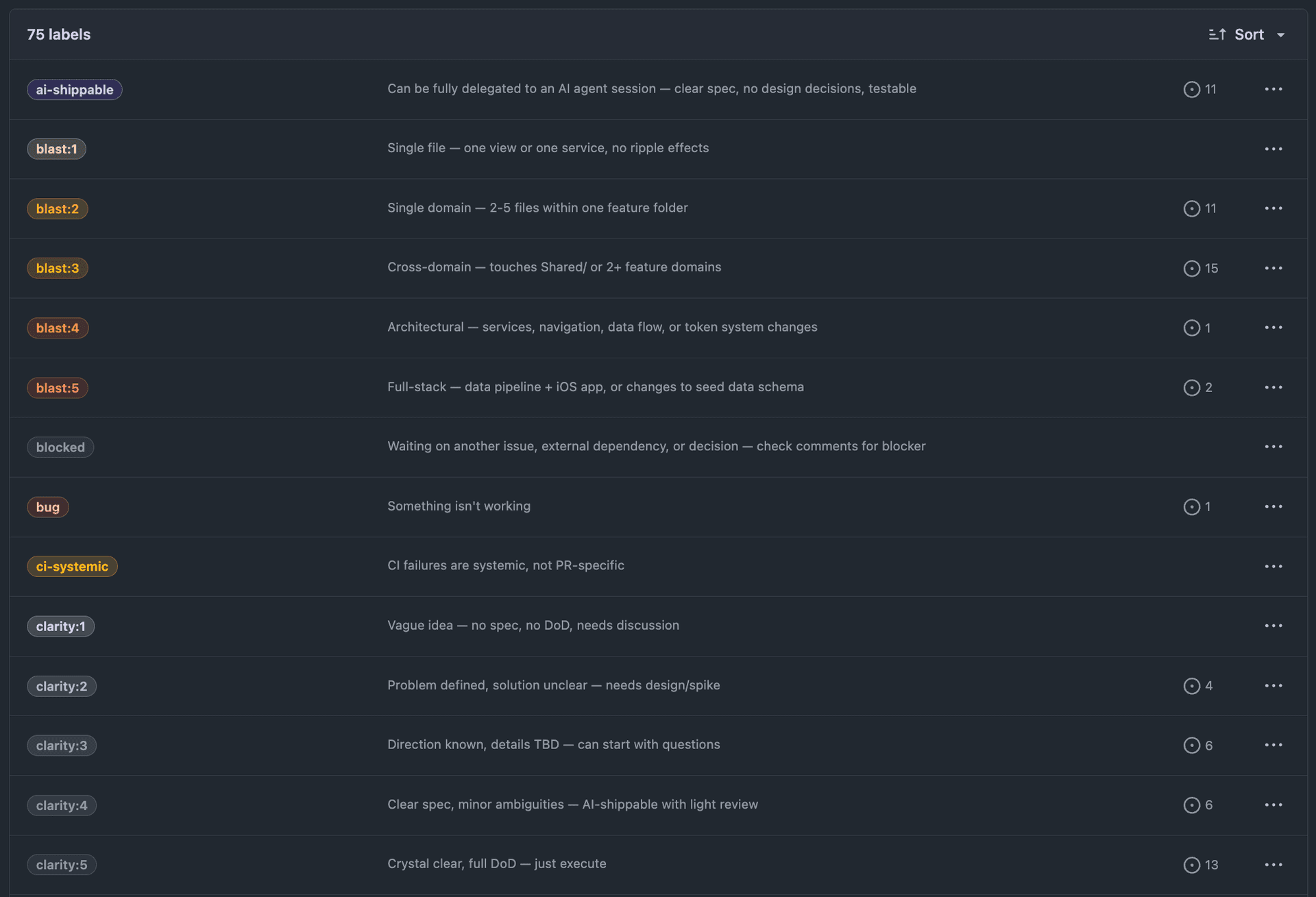
With a rich label system on your Github issues, like priority, risk, size, blast radius, clarity and concurrency — they become a protocol that lets AI agents pick up issues, assess safety, and ship code with minimal human input.
If you want to set these up on your own repo, there's a Claude Code skill for that — it lets you pick which groups to install and creates them all via gh label create.
Priority: What matters most
| Label | Meaning |
|---|---|
| P1 | Must ship first, blocks other work |
| P2 | Core features, ship after P1 |
| P3 | Polish and low-urgency items |
| P4 | Post-launch polish and enhancements |
| P5 | Nice to have, no pressure |
Nothing groundbreaking here. The next dimensions are where it gets useful for agents.
Clarity: How well-defined is the work?
| Label | Meaning |
|---|---|
| clarity:1 | Vague idea — no spec, no definition of done, needs discussion |
| clarity:2 | Problem defined, solution unclear — needs a design spike |
| clarity:3 | Direction known, details TBD — can start with questions |
| clarity:4 | Clear spec, minor ambiguities — AI-shippable with light review |
| clarity:5 | Crystal clear, full definition of done — just execute |
Probably the most important dimension for AI delegation. A vague idea and a crystal-clear spec require different approaches.
An agent should only pick up clarity:4 or clarity:5 issues. Anything below that needs human input and additional clarity.
Risk: How dangerous is the change?
| Label | Meaning |
|---|---|
| risk:1 | Isolated change, well-tested area, hard to break |
| risk:2 | Small surface area, existing patterns, minor regression chance |
| risk:3 | Touches shared code, some edge cases, needs careful testing |
| risk:4 | Cross-domain impact, state management, concurrency concerns |
| risk:5 | Data model migration, navigation architecture, or seed data changes |
Risk tells an agent how much scrutiny the PR needs, but can be handy for being careful with code reviews too.
Blast radius: How far does the change reach?
| Label | Meaning |
|---|---|
| blast:1 | Single file — one view or one service, no ripple effects |
| blast:2 | Single domain — 2-5 files within one feature folder |
| blast:3 | Cross-domain — touches shared code or 2+ feature domains |
| blast:4 | Architectural — services, navigation, data flow changes |
| blast:5 | Full-stack — data pipeline + iOS app, or schema changes |
Blast radius is related to risk but not the same. You can have a risk:1 change with blast:3 (a safe refactor across many files) or a risk:5 change with blast:1 (a single migration file that reshapes your data model).
Size: How much effort?
| Label | Meaning |
|---|---|
| size:XS | Trivial change, single file |
| size:S | Straightforward, few files |
| size:M | Moderate scope, some design needed |
| size:L | Significant feature, many files |
| size:XL | Epic-level, major cross-cutting work |
I always want to be working in small iterations, so anything bigger than M should probably be decomposed further.
Parallelism: What's safe to work on simultaneously?
This is where things get powerful for multi-agent workflows, like running Claude on Git worktrees in parallel.
| Label | Meaning |
|---|---|
| parallel:1 | Lane 1: safe to parallelise with lanes 2,3,4,5 |
| parallel:2 | Lane 2: safe to parallelise with lanes 1,3,4,5 |
| parallel:3 | Lane 3: safe to parallelise with lanes 1,2,4,5 |
| parallel:4 | Lane 4: safe to parallelise with lanes 1,2,3,5 |
| parallel:5 | Lane 5: safe to parallelise with lanes 1,2,3,4 |
| serial | Cross-cutting — touches 2+ lanes, run alone |
Lane labels let you spin up multiple agents working on different parts of the codebase without merge conflicts. Each lane maps to a relatively independent area of the app. The serial label flags cross-cutting work that should wait until lane work settles.
The AI label: ai-shippable
This issue can be fully delegated to an AI agent session with clear spec, no design decisions needed, and testable outcomes.
An issue gets this label when it hits:
clarity:4or higherrisk:3or lower- A clear definition of done in the issue body
Composing the labels
The power is in combination. When an agent (or a human) sees an issue tagged:
P2size:Sclarity:5risk:1blast:2parallel:3ai-shippable
They instantly know: this is a core feature, small and straightforward, crystal-clear spec, minimal risk, contained to one domain, safe to work on alongside other lanes, and can be fully delegated. Ship it.
Compared to:
P1size:Lclarity:2risk:4blast:4needs-designserial
This is critical but dangerous. Large scope, unclear solution, high risk, architectural impact, needs design work, and conflicts with other lanes. This needs a human driving it.
Implementation sequence
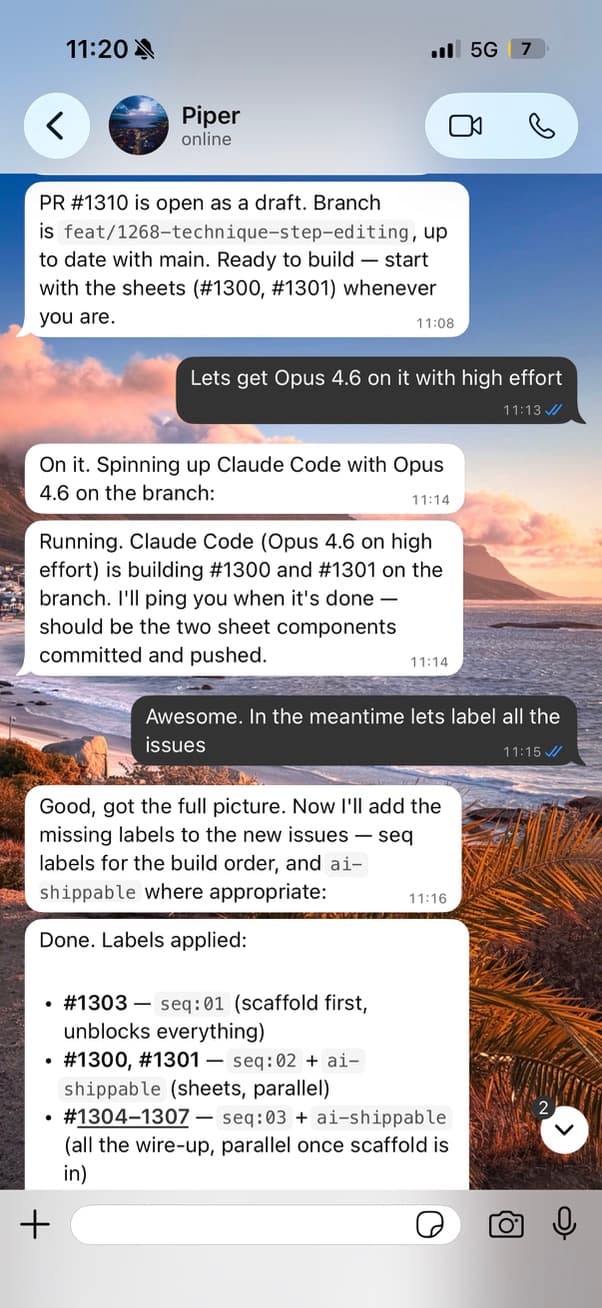
For launch planning, I added seq:01 through seq:10 labels to define the order issues should be tackled. Combined with priority and parallelism, this gives you a full execution plan:
- Filter by
seq:01, find allparallel:*issues, spin up agents for each lane - When those complete, move to
seq:02 - Flag
serialissues for dedicated runs between sequences
The skills
I have three main agent skills I use to help out with the project management here. Issue labels are great but they often need to be re-synced as the code evolves. They can drift a little.
The issue might become simpler or more complex, priority may change based on other recent work, or for whatever other reason, it's good to have a shortcut to get an agent to give you a summary on where things stand, and suggest issue updates.
These are the names and agent descriptions for the main skills I'm using for this.
issue-drift-sync
Sync GitHub issues with recent work — compare commits, PRs, and branch activity against open issues to detect and fix drift. Use this skill whenever the user asks to update issues, sync issue statuses, reconcile work with tickets, check for stale issues, or says things like 'update my issues', 'sync issues with what we did', 'check issue drift', 'are my issues up to date', or 'what issues can we close'. Also use proactively after completing significant work across multiple issues.
feature-kickoff
Kickoff a new feature from a GitHub issue — fetch issue context, detect existing work, scan the target domain's codebase, and produce a scoped implementation plan with branch creation. Use this skill when the user says 'kickoff', 'start feature', 'begin work on issue', 'pick up #N', 'start #N', 'new feature', 'kick off', or references starting work on a specific issue number.
session-handoff
Summarize a development session — collect commits, PRs, file changes, and issue activity, then produce a handoff report with memory updates and next-session priorities. Use this skill when the user says 'handoff', 'wrap up', 'end of session', 'session summary', 'what did we do', 'update memory', 'save progress', 'EOD', 'end of day', 'session recap', or wants to capture what happened in a development session.
The skill I use most here is the drift-sync. It's a quick and lazy way to just try to keep issues up to date. They're only on my Macbook at the moment but I must port them over to the Pi next.
That's it
The issue labelling is the main thing worth sharing this month because it's been super useful for kicking off parallel agents on small decomposed tasks. Being able to create those issues through Whatsapp has been fun and useful too, but I'm still doing the majority of the work on the Macbook, it's just handy to have the mobile option.
It's still more efficient to grab a big batch phone screenshots from the cloud and create those issues on Macbook Claude with a proper keyboard.
Next up
I'm currently exploring and contrasting the code between OpenClaw and Paperclip to understand how they both approach the heartbeat pattern for agent harnesses. If I wrap my head around it I'll write about it.
Slán!